
Speaker & Headphone Test
100% privateCheck your left and right channels, balance, polarity and bass — then get a verdict, not just a beep. No microphone, and nothing to upload.
Turn your volume down to about a third first. Test tones are much louder than music at the same setting, and you can always turn it up once the first sound plays.
Four short sounds, with one question after each. It takes about half a minute, and at the end you get a plain-English verdict — a dead channel, sides swapped, mono instead of stereo, or a speaker wired backwards — along with what to do about it. Put both earpieces on, or sit between both speakers, and press Start.
Which side did you hear that from?
This changes the advice at the end — swapped headphones are worn round the wrong way, swapped speakers are a cable at the back.
Keep Noise unless you have a reason not to. A pure tone gives your ears almost no clues about direction, which is exactly what this test needs them to have.
Advanced options
A share of the tool’s own ceiling, not of your volume. Even at 100% these tones stay well below full scale — use your device’s volume control for real loudness.
Checking usage…
More tests
The individual tones, for when you already know what you are listening for.
A single pure tone at any frequency from 20 Hz to 20 kHz, in either channel or both. Useful for finding the exact pitch at which something starts to buzz, and for checking one earpiece against the other.
The slider is spaced by pitch rather than by number, so the bass end is as reachable as the treble. Drag it while the tone plays and it retunes without stopping.
A slow rise from 20 Hz to 20 kHz over about 22 seconds. It should get steadily higher in pitch and stay roughly even in loudness — a sudden hole, a rattle, or the sound vanishing early tells you where your speakers give up. When you stop hearing it near the end, press the button and we’ll record the frequency.
Most adults stop hearing somewhere between 15 and 17 kHz, and that ceiling falls with age — it is normal, not a fault. Your speakers may also simply stop before your ears do. This is a rough listening check, not a hearing test, and it is no substitute for an audiologist.
Steps down through the bass in third-octaves, from 200 Hz to 20 Hz, holding each for a couple of seconds. Press the button at the first step you cannot hear and we’ll record the one before it as your low limit.
For scale: a phone speaker usually gives up around 300–500 Hz, a laptop around 150–200 Hz, a decent bookshelf speaker reaches 50–60 Hz, and below about 30 Hz you feel it more than hear it. If a step buzzes or clatters rather than humming cleanly, that is not bass — that is the next test.
A steady 80 Hz tone, held for six seconds at a healthy level. That is where a driver moves furthest, so a torn surround, a loose grille or a resonating panel will announce itself as a buzz or a clatter over the top of the note.
What your browser reports about the audio path to your speakers. All of it comes from the browser’s own audio engine — no microphone, no permission, and nothing that identifies you or your machine.
Step by step
How to test your speakers or headphones
About half a minute, no account, no app, and an answer at the end rather than a row of buttons.
Say what you are using
Headphones or speakers. It changes nothing about the sounds — it changes the advice, because swapped headphones are worn the wrong way round and swapped speakers are a cable at the back.
Turn the volume down
To about a third. Test tones carry far more energy than music at the same setting. You can always turn it up after the first sound; starting loud is how people hurt their ears.
Answer what you heard
Each sound is followed by one question with four answers. Answer for the side the sound actually came from, not the side you expected — the whole test hinges on that distinction.
Read the verdict
You get a named fault and what to do about it, not a shrug. Copy the whole thing to the clipboard if you need to paste it into a support chat or a returns request.
Private by design
Nothing here to upload, and no microphone in sight
Most sound-test pages stream audio files from a server, wrap the controls in advertising, and ask for your microphone to “check the other end”. This one asks for nothing, because it needs nothing — the tones are made on your device, out of arithmetic, the moment you press play.
No microphone
Your browser never asks for microphone access here, because this tool never uses it. Nothing in your room is listened to, recorded or analysed — your own ears do the listening, and your answers stay in this tab.
Nothing to upload
There is no file to choose, no account to make and nothing stored between visits. The verdict is worked out here, shown here, and gone the moment you close the tab.
Works with the wifi off
Every sound is synthesised rather than downloaded, so once this page has loaded it needs no connection at all. Turn off your wifi and run the whole test — no site that streams audio files can do that.
To be precise about what does leave your device — because “100% private” is easy to say and worth checking. Three things, and none of them is anything you did here:
1. When a test finishes, this page sends one anonymous message to our counter saying “sound-test was used”. Not your answers, not the verdict, not which frequencies you could hear. It exists so the usage number in the panel is a real one rather than something we invented.
2. Google Analytics records the page view, that a test completed, and the verdict’s short code — dead-left, swapped, ok. That is a fact about a piece of hardware, and it is how we tell whether this page is diagnosing anything useful. You can block it and the tool works exactly the same.
3. To show the product prices further down in your own currency, this page asks Cloudflare which country you are in and fetches the day’s exchange rates. Neither request says anything about your test, your answers or your verdict — it is the same lookup every page on this site makes, it is cached for the rest of your visit, and if you block it the tool is unchanged; the prices simply stay in rupees.
And one thing we want to be straight about: we are not measuring your speakers. There is no microphone involved, so nothing here can hear what actually came out. We generate the tones and keep score of your answers — the judgement is entirely your own ears. Any page claiming to measure your audio quality without listening to it is claiming something impossible.
At a glance
Tool specifications
| What it checks | Left and right channels, stereo balance, polarity, bass reach, high-frequency reach, buzz and rattle |
|---|---|
| Faults it names | Silent channel, swapped channels, mono instead of stereo, balance offset, reversed polarity, no output at all |
| Sound source | Generated in your browser — pink noise and sine tones. No audio files are downloaded |
| Frequency range | 20 Hz to 20 kHz |
| Maximum level | Capped at about −11 dBFS, well below full scale, at every setting |
| Microphone | Not used, and never requested |
| Where processing happens | In your browser, on your device — nothing is uploaded |
| Works offline | Yes, once the page has loaded, including as an installed app |
| Sign-up | Not required, not offered |
| Price | Free |
Questions
Sound testing, answered
Is anything recorded or uploaded?
One side is silent. What do I do?
How do I know if my channels are swapped?
What is the polarity test actually doing?
Why can’t I hear the 20 Hz tone, or the 18 kHz one?
Can these tones damage my speakers or my hearing?
Does this tell me how good my speakers sound?
Why do I have to answer questions? Can’t it just detect the problem?
If it turns out to be the hardware
When the fault is the headphones, not the computer
If the same side stayed silent on a second device, the test has done its job and the pair is finished. These are current picks from our catalogue, priced across the range — a cheap replacement pair through to a set worth keeping.
 Headphones & earbuds
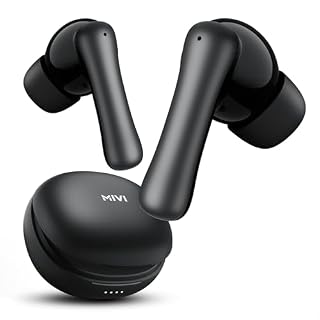
Mivi DuoPods Marathon Earbuds Wireless
₹799
Headphones & earbuds
Mivi DuoPods Marathon Earbuds Wireless
₹799
 Headphones & earbuds
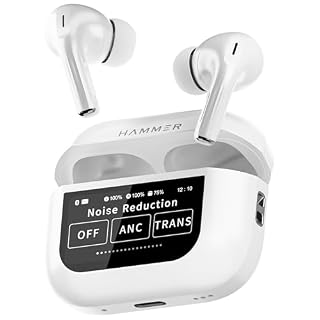
HAMMER Screen TWS Earbuds Wireless with 13mm Drivers, ANC Ear Buds 32dB, up to 50H Playtime TW…
₹1,399
Headphones & earbuds
HAMMER Screen TWS Earbuds Wireless with 13mm Drivers, ANC Ear Buds 32dB, up to 50H Playtime TW…
₹1,399
 Headphones & earbuds
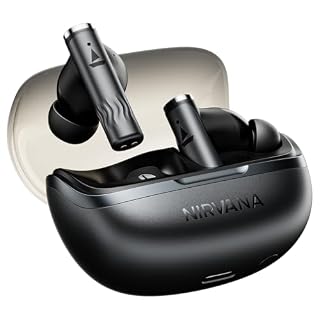
boAt Nirvana Zenith Pro, 50dB Hybrid Adaptive ANC, Spatial Audio, Hi-Res Audio LDAC, 6Mics AI…
₹2,799
Headphones & earbuds
boAt Nirvana Zenith Pro, 50dB Hybrid Adaptive ANC, Spatial Audio, Hi-Res Audio LDAC, 6Mics AI…
₹2,799
 Headphones & earbuds
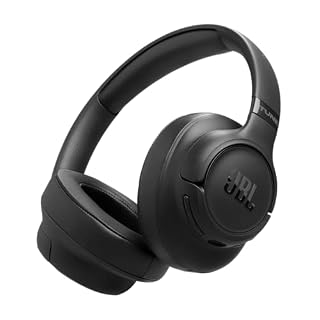
JBL New Launch Tune 780NC Wireless Over Ear Headphones with Adaptive Noise Cancellation, Upto…
₹7,999
Headphones & earbuds
JBL New Launch Tune 780NC Wireless Over Ear Headphones with Adaptive Noise Cancellation, Upto…
₹7,999
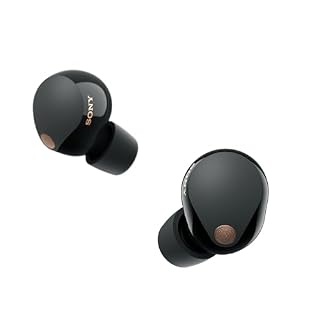 Headphones & earbuds
Sony WF-1000XM5 Best Active Noise Cancelling Wireless Bluetooth Earbuds with Mic, TWS, Up to 2…
₹16,989
Headphones & earbuds
Sony WF-1000XM5 Best Active Noise Cancelling Wireless Bluetooth Earbuds with Mic, TWS, Up to 2…
₹16,989
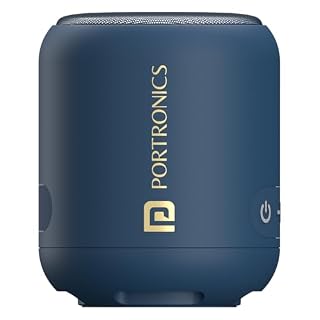 Speakers & soundbars
Portronics SoundDrum 1 12W TWS Portable Bluetooth Speaker with Powerful Bass, Bluetooth 5.3V…
₹949
Speakers & soundbars
Portronics SoundDrum 1 12W TWS Portable Bluetooth Speaker with Powerful Bass, Bluetooth 5.3V…
₹949
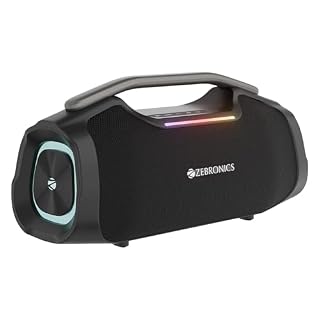 Speakers & soundbars
Zebronics 2026 Launch 50W Bluetooth Speaker, Dual 5.7cm Drivers, 8.9cm Subwoofer, Upto 5Hrs Pl…
₹2,699
Speakers & soundbars
Zebronics 2026 Launch 50W Bluetooth Speaker, Dual 5.7cm Drivers, 8.9cm Subwoofer, Upto 5Hrs Pl…
₹2,699
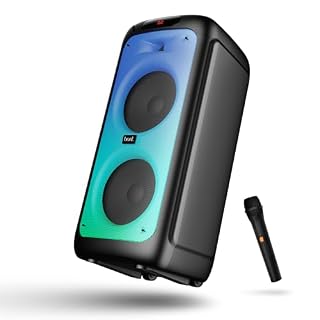 Speakers & soundbars
boAt Partypal 390/400 Speaker w/ 160 W Signature Sound, Karaoke with 2 Microphone Input Ports…
₹9,999
Speakers & soundbars
boAt Partypal 390/400 Speaker w/ 160 W Signature Sound, Karaoke with 2 Microphone Input Ports…
₹9,999
Prices and availability as of 11 August 2026, and they change often — Amazon’s page is the one that counts. As an Amazon Associate we earn from qualifying purchases, at no extra cost to you. Browse every audio product we track
Keep it handy
Save it, share it, or tell us what’s missing
Come back to it
Worth keeping for the next pair of headphones, or the next time a laptop starts sounding lopsided. Bookmark it, or pin it to the top of the tools list on this device.
Something not right?
If the verdict was wrong, if a sound never played, or if you have a fault this test doesn’t catch, tell us. The form opens with the tool already filled in, so you only have to describe what happened.
More free tools
Other things you can do here
Every one of these runs the same way — on your device, with nothing uploaded.