
Webcam Test
Video never leaves your deviceSee what your camera is really sending — resolution, frame rate and a plain-English verdict when something is wrong. Nothing is uploaded and nothing is recorded.
Your camera is off. Press Start camera test and your browser will ask for permission. The picture appears here, and the check takes about three seconds.
Your browser only reveals camera names after you have allowed access once, so this list fills in properly after the first run.
Asking for 1080p is a request, not a demand — a camera that cannot manage it hands back the closest it has instead of failing, and the result tells you which you got.
Advanced options
Checking usage…
Step by step
How to test your webcam
About ten seconds, no account, no app, and an answer at the end rather than a picture and a shrug.
Press Start
Nothing happens until you do. The camera is not opened when the page loads, and your browser will not ask for permission until you have asked it to.
Choose Allow
Your browser asks once. If you have blocked the camera here before, the prompt will not reappear on its own — the verdict tells you where to switch it back on.
Let it measure
Three seconds of watching the picture: the resolution and frame rate you are really getting, how bright it is, whether it is in focus, and whether it is moving at all.
Read the verdict
Working normally, or a named fault with what to do about it. Take a full-resolution snapshot if you want to check detail properly — it stays on your device.
Private by design
Your camera, your device, your video
A webcam test has to look through your camera — there is no way around that, and any page claiming otherwise is not testing anything. What it does not have to do is send the picture anywhere, and this one does not. The video goes to the preview on this page and to a tiny analysis canvas, both inside this tab, and then it is gone.
Nothing is uploaded
No frame of your video is ever sent to us or to anyone else. There is no server involved in the test at all — the code that measures the picture has no way to transmit it, which is a stronger guarantee than a promise not to.
Nothing is recorded
Frames are measured and discarded as they arrive; none is kept, not even in memory. The only image that ever persists is a snapshot you take yourself, and that goes straight to your downloads folder.
The camera is released
When the test finishes, when you press Stop, and when you close the tab, the camera is switched off properly rather than left held. Watch the indicator light next to your camera — it should go out, and if it ever does not, that is a bug we want to hear about.
To be precise about what does leave your device — because this is the one tool here that asks for a permission, and that deserves an exact answer rather than a slogan. Three things, and none of them is your video:
1. When a test finishes, this page sends one anonymous message to our counter saying “webcam-test was used”. Not the verdict, not your camera’s name, not its resolution. It exists so the usage number in the panel is a real one rather than something we invented.
2. Google Analytics records the page view and the verdict’s short code — ok, in-use, black. That is a fact about a piece of hardware, and it is how we tell whether this page is diagnosing anything useful. You can block it and the tool works exactly the same.
3. To show the product prices further down in your own currency, this page asks Cloudflare which country you are in and fetches the day’s exchange rates. Neither request says anything about your camera or what it saw — it is the same lookup every page on this site makes, it is cached for the rest of your visit, and if you block it the tool is unchanged; the prices simply stay in rupees.
And the honest limit: we can tell you what your camera is sending to this browser. We cannot tell you how it looks to the person at the other end of a call, because that depends on their software, their screen and the connection in between. A camera that passes here and still looks bad on a call is usually the call software compressing it, not the camera.
At a glance
Tool specifications
| What it checks | Delivered resolution, measured frame rate, brightness, focus, whether the picture is moving, and which camera is actually selected |
|---|---|
| Faults it names | Permission blocked, no camera found, camera held by another app, completely black picture, frozen stream, very dark picture, very soft picture, dropped frames, resolution below what the camera can do |
| Permission needed | Camera. Requested only when you press Start — never on page load |
| Microphone | Not used, and never requested |
| Measurement window | About 3 seconds, sampled 5 times a second |
| Snapshot | Optional, full camera resolution, PNG, saved only if you press the button |
| “Capable of” row | Shown where the browser reports camera capabilities. Hidden rather than guessed at where it does not — Firefox currently does not |
| Where processing happens | In your browser, on your device — no video is uploaded |
| Works offline | Yes, once the page has loaded, including as an installed app |
| Sign-up | Not required, not offered |
| Price | Free |
Questions
Webcam testing, answered
Is my video recorded or uploaded?
Why does it need permission if it is private?
It says another app is using my camera. Which one?
My camera works in Zoom but not here. Why?
The preview is completely black. What does that mean?
Why does my 1080p camera only show 640×480?
Does this tell me whether my webcam is any good?
Does the snapshot get uploaded anywhere?
If it turns out to be the camera
When it is the webcam, and not the lighting
If the picture is black on a second computer too, or the camera never appears at all, the test has done its job. A separate webcam also fixes the other common complaint a laptop camera cannot — the angle, because it is no longer bolted above your screen.
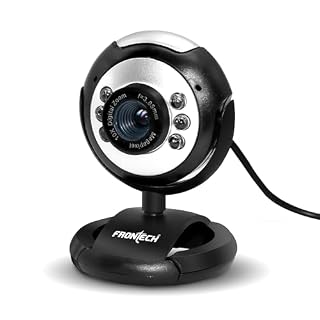 Webcams
Frontech 2251 480P HD USB Webcam with Built-in Microphone, LED Light, 30 fps, Auto White Balan…
₹489
Webcams
Frontech 2251 480P HD USB Webcam with Built-in Microphone, LED Light, 30 fps, Auto White Balan…
₹489
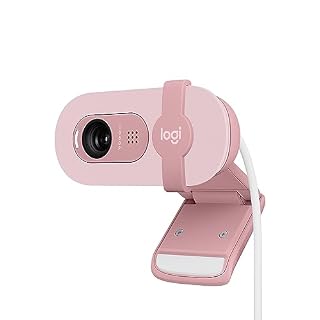 Webcams
Logitech Brio 100 Full HD 1080P Webcam for Meetings and Streaming, Auto-Light Balance, Built-i…
₹3,095
Webcams
Logitech Brio 100 Full HD 1080P Webcam for Meetings and Streaming, Auto-Light Balance, Built-i…
₹3,095
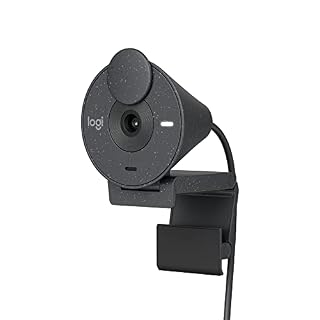 Webcams
Logitech Brio 300 Full HD Webcam with Privacy Shutter, Noise Reduction Microphone, USB-C, Cert…
₹7,299
Webcams
Logitech Brio 300 Full HD Webcam with Privacy Shutter, Noise Reduction Microphone, USB-C, Cert…
₹7,299
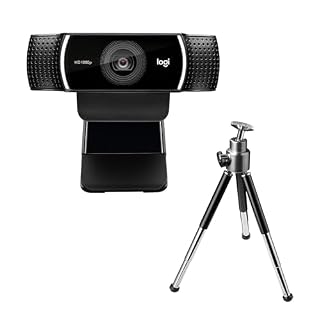 Webcams
Logitech C922 Pro Stream Webcam, HD 1080p/30fps or HD 720p/60fps, Digital, Hyperfast Streaming…
₹12,695
Webcams
Logitech C922 Pro Stream Webcam, HD 1080p/30fps or HD 720p/60fps, Digital, Hyperfast Streaming…
₹12,695
Prices and availability as of 11 August 2026, and they change often — Amazon’s page is the one that counts. As an Amazon Associate we earn from qualifying purchases, at no extra cost to you. Browse every accessory we track
Keep it handy
Save it, share it, or tell us what’s missing
Come back to it
Worth keeping for two minutes before the next interview or standup, when finding out the camera is dead while everyone waits is the worst possible time. Bookmark it, or pin it to the top of the tools list on this device.
Something not right?
If the verdict was wrong, if your camera works elsewhere but not here, or if the indicator light stayed on after the test finished, tell us — that last one especially. The form opens with the tool already filled in.
More free tools
Other things you can do here
Every one of these runs the same way — on your device, with nothing uploaded.