
PSU Wattage Calculator
100% privatePick a processor and a graphics card. Get the power supply to buy, worked out from what the parts really draw, not the number on the box.
Use the maximum, not the TDP: AMD calls it PPT, Intel calls it Maximum Turbo Power.
On the maker’s spec page as Total Graphics Power (NVIDIA) or Typical Board Power (AMD, Intel).
Worked out in this tab from a parts list we check against the makers’ spec sheets. No sign-up, and no PSU brand paying for the answer.
Checking usage…
More parts & room to upgrade
Will a UPS keep it running?
What it costs to run
Where the watts go
Once you know the wattage
Power supplies and UPSs we track
Current picks from our catalogue. Our list of power supplies is short for now, so check each one's wattage against the answer above before you buy, and prefer an 80 Plus certified unit from a brand with a warranty you can claim in India.
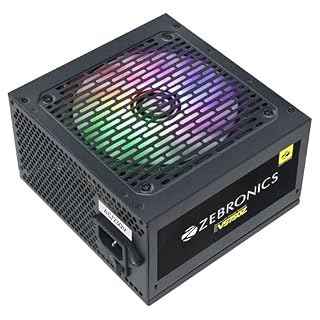 Power supplies
Zebronics Premium Power Supply, Long Flat Cables, Silent 120mm Fan,12V 52A, 6+2 PCIe, 4+4 CPU…
₹2,775
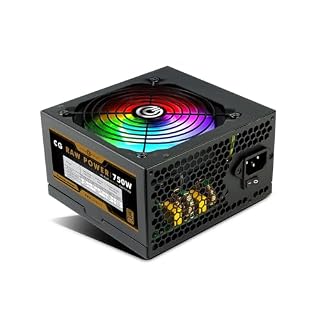 Power supplies
Circle CG RAW Power 750 WATTS Gaming Power Supply/PSU - Non-Modular
₹3,849
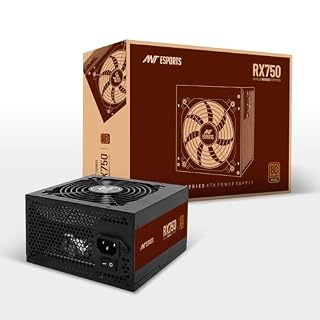 Power supplies
Ant Esports RX750 750 Watt 80 Plus Bronze Certified Power Supply/PSU for PC with Smooth & Sile…
₹4,809
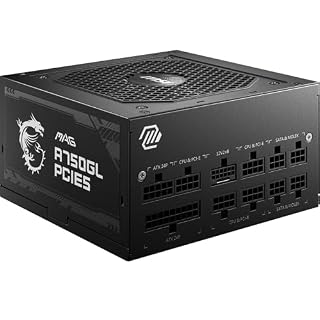 Power supplies
MSI MAG A750GL PCIE5 Power Supply Unit, 750W, 80 Plus Gold, Fully Modular, ATX 3.1, PCIe 5.1 G…
₹9,290
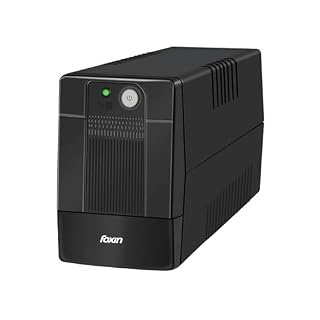 UPS
Foxin UPS 600VA/360W Uninterrupted Power Supply System for Desktop, Home Office, Computers
₹2,190
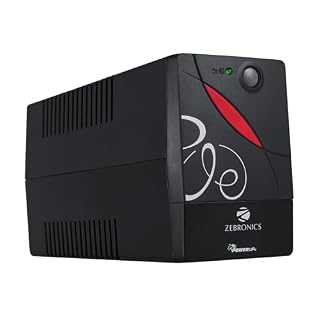 UPS
ZEBRONICS Zeb-U725 600VA UPS for Desktop/PC/Computers (not for Routers) with Automatic Voltage…
₹2,249
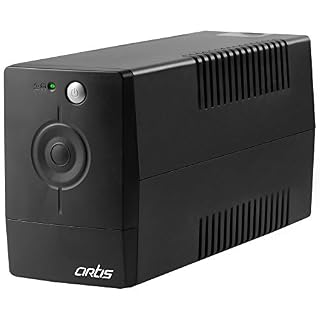 UPS
Artis PS-600VA 600VA Line Interactive UPS for Personal Computers, Desktop PCs, Laptops, Router…
₹2,399
Prices and availability as of 9 November 2026, and they change often — Amazon’s page is the one that counts. As an Amazon Associate we earn from qualifying purchases, at no extra cost to you. Browse every PC component we track
Step by step
How to work out what PSU you need
Four steps and about thirty seconds. Most builds only need the first two.
Pick your processor
Choose it from the list. Behind each name is its real maximum draw — AMD’s PPT or Intel’s Maximum Turbo Power — which is often 35–100% more than the TDP printed on the box. Not listed? Choose “Not listed” and type its maximum power.
Pick your graphics card
The card decides most builds. Its board power is added, and its maker’s own recommended PSU size is kept as a minimum. Choose “Integrated graphics only” if the PC has no separate card.
Add the rest, if it matters
RAM, SSDs and fans are set to a typical build. Open “More parts & room to upgrade” for hard drives, a liquid cooler, overclocking, or one size of headroom for a bigger card later.
Read the answer
You get the PSU size to buy, which rule decided it, the connector to look for, a UPS size and the monthly power bill. One button copies it all as plain text, ready to paste into a shop chat or a build forum.
Private by design
No sign-up, no shop behind the answer
Most PSU calculators are run by a company that sells power supplies, and the answer comes with a list of their own models. This one is worked out in your browser from a parts list we keep, and the only thing it suggests is a size.
Nothing is uploaded
Every figure is worked out on your device. The parts you pick and the numbers you type are never placed in a network request, and never go into the page address.
Nothing is saved
Your build is not remembered, not even in your browser’s storage. Close the tab and it is gone.
The working is on the page
“Where the watts go” lists every part, its figure and the maker page it came from, so you can check the answer instead of trusting it.
To be precise about what does leave your device — because “100% private” is easy to say and worth checking. Three things, none of them your build:
1. The first time you change something, this page sends one anonymous message to our counter saying “psu-calculator was used”. Not your parts, not the answer, nothing identifying you.
2. Google Analytics records the page view and that the calculator was used, as on every page of this site. It is told which graphics card you picked from the list (or that you typed your own, or chose integrated graphics) and whether “Room to upgrade” was on — never a wattage, your processor, the hours you game or your electricity price. Block it and the calculator works exactly the same.
3. When the page first loads, its fonts come from Google Fonts, which means Google sees your IP address at that moment — the same as on every page of this site.
The product pictures below the calculator are stored on our own site, so showing them tells Amazon nothing; only clicking one takes you there. The currency for the running cost is guessed from your device’s own time-zone setting, which never leaves the browser. Turn off your wifi, reload, and keep calculating. It still works.
At a glance
Tool specifications
| Input | Your processor and graphics card from the list (or their watts, typed by hand), RAM sticks, SSDs and case fans — plus, optionally, hard drives, a liquid cooler, RGB and USB devices, overclocking and upgrade headroom |
|---|---|
| Output | The PSU size to buy, the estimated peak load, which rule decided the size, connector and quality checks, a UPS size in VA, and the monthly and yearly running cost |
| Method | Peak load = the CPU’s maximum draw (AMD PPT, Intel Maximum Turbo Power) + the card’s board power + allowances for the rest (motherboard 50 W, 5 W per RAM stick, 7 W per SSD, 9 W per hard drive, 3 W per fan, 6 W for a pump, 15 W for RGB and USB). Recommended size = peak × 1.25, rounded up to the next standard size, and never below the graphics card maker’s own figure |
| Standard sizes | 450, 550, 650, 750, 850, 1000, 1200, 1300 and 1600 W |
| Parts covered | AMD Ryzen 5000, 7000, 8000G and 9000; Intel Core 12th–14th gen and Core Ultra 200S; NVIDIA GeForce RTX 30, 40 and 50; AMD Radeon RX 6000, 7000 and 9000; Intel Arc A and B series |
| Where the figures come from | Each maker’s own specification page, linked part by part under “Where the watts go”. A hand-checked snapshot, not a live feed — the date is on the page |
| UPS size | Peak load at the wall (÷ 0.88 for PSU efficiency) plus the monitor, ÷ 0.6 to convert watts to VA, rounded up to 600, 800, 1000, 1500, 2000 or 3000 VA |
| Running cost | Gaming draw (graphics card at 90% of its board power, processor at 50% of its maximum, the rest in full) ÷ 0.88, × your hours a day × 30 days × your price per kWh |
| Libraries used | None. No vendored code, no CDN, no third-party request |
| Where processing happens | In your browser, on your device — nothing is uploaded |
| Saved anywhere | No. Not on a server, not in your browser’s storage, not in the page address |
| Works offline | Yes, once the page has loaded, including as an installed app |
| Sign-up | Not required, not offered |
| Price | Free |
Questions
Power supplies, answered
How many watts does my PC need?
Is a 650 W PSU enough for an RTX 5070?
Why does the calculator use more than my processor's TDP?
Does a bigger PSU use more electricity?
What size UPS do I need for a gaming PC?
Is the SMPS that came with my cabinet good enough?
Why is the graphics card maker's number higher than the calculator's sum?
Is anything I enter uploaded or saved?
Still choosing the card itself? Our best graphics cards in India guide picks one at every budget, and the GPU price tracker shows what they cost this fortnight.
Keep it handy
Save it, share it, or tell us what’s missing
Come back to it
Bookmark the page, or pin it to your saved tools so it sits at the top of the tools list on this device.
A part missing, or a number wrong?
If your processor or graphics card is not in the list, or a figure disagrees with the maker’s spec sheet, tell us. The form opens with the tool already filled in, so you only have to name the part.
More free tools
Other things you can do here
Every one of these runs the same way — on your device, with nothing uploaded.