
Buying Guide

Best Laptops for Engineering Students
2026 · Matched to Your Branch

Seven laptops from ₹57,990 to ₹94,990, sorted by what your branch actually runs: code and virtual machines for CS and IT, MATLAB and circuit simulators for electronics and electrical, and CAD for mechanical and civil — every one with 16GB of RAM, because that is where engineering software starts.

16 min read India 7 picks

Independent picks: no paid placements, no free review units. Amazon’s live stock check is paused, so prices, stock and sellers come from the Amazon.in listings as we read them on 12 Nov 2026; confirm on the listing. How we pick ↓

Best laptops for engineering students in India 2026: HP, Lenovo and ASUS laptops

Overview

Your branch decides the laptop

There is no single best laptop for engineering, because a computer science student and a mechanical student run completely different software. Coding, virtual machines and Android Studio need a fast processor and plenty of RAM, but no graphics card. MATLAB, Simulink and circuit simulators lean on the same two things. CAD and simulation tools such as SolidWorks, CATIA and ANSYS are the exception: they need a dedicated graphics card, and they run on Windows, not macOS.

So this guide starts from your branch, not your budget. Every pick has 16GB of RAM, which is where engineering software starts to feel comfortable, and an x86 processor so every college lab tool installs. The four laptops under ₹76,000 are for branches that do not need a graphics card; the three from ₹89,450 add an NVIDIA RTX 3050 for CAD. If you will spend four years in coding and data science, the cheaper tier is the smarter buy; if your syllabus has a drawing or design lab, buy the graphics card now.

Laptop prices in India have risen sharply this year as memory costs climbed, so a 16GB laptop costs more than it did in 2025. If your budget is firm, our best laptops under ₹50,000 guide covers the cheaper end, and best laptops for college under ₹80,000 covers students in every stream.

Side-by-side

Engineering Laptop Comparison 2026

Scroll right on smaller screens to see all columns.

Laptop Price Processor Graphics RAM (max) Best for Rating Buy
HP 255 G10 laptop in grey with a 15.6-inch Full HD screen
HP 255 G10
Lowest Price
₹57,990 Ryzen 3 7335U (4 cores)Built-in Radeon16GB (16GB)First year, tight budget 4.3 Amazon
Acer Aspire Lite AL15-41 laptop in steel grey with a Ryzen 7 7730U
Acer Aspire Lite
Best for CS and IT
₹64,990 Ryzen 7 7730U (8 cores)Built-in Radeon16GB (32GB)CS, IT, data science 3.9 Amazon
Lenovo IdeaPad Slim 3 laptop in grey with a 15.3-inch WUXGA screen
IdeaPad Slim 3
Best to Carry
₹73,400 Core i5-13420H (8 cores)Built-in Intel UHD16GB (24GB)Carried to every lecture 3.7 Amazon
Lenovo ThinkBook 16 laptop in arctic grey with a 16-inch WUXGA screen
ThinkBook 16
Best Big Screen
₹75,990 Ryzen 5 7535HS (6 cores)Built-in Radeon16GB (64GB)ECE, EEE, big screen 2.5 Amazon
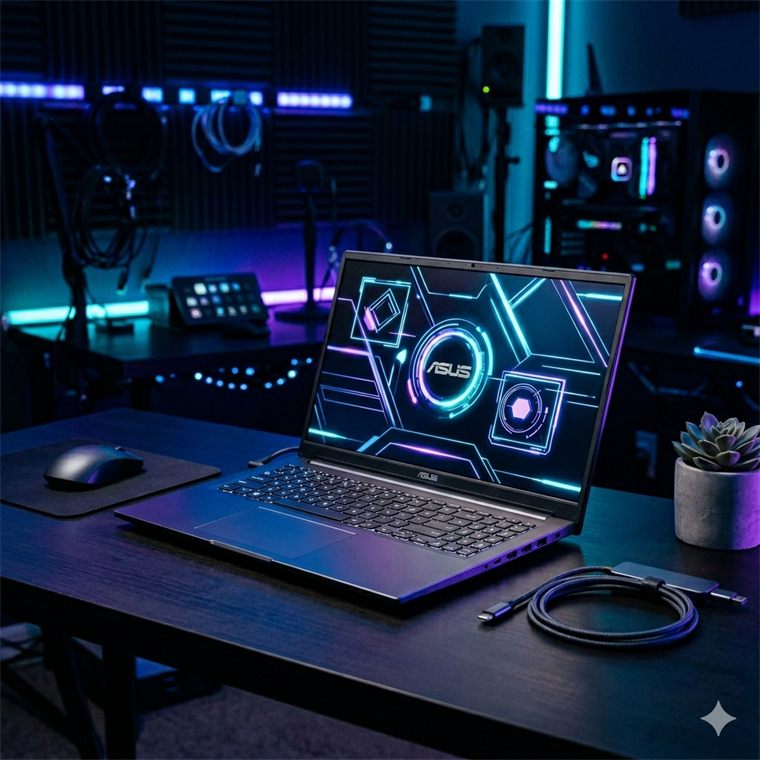
ASUS TUF Gaming A15 laptop with an RTX 3050 graphics card and 144Hz screen
ASUS TUF A15
Best Overall
₹89,450 Ryzen 7 170 (8 cores)RTX 3050 4GB16GB (64GB)Every branch, incl. CAD 4.0 Amazon
HP Victus 15 laptop in blue with an RTX 3050 6GB graphics card
HP Victus
Most Graphics Memory
₹92,350 Core i5-13420H (8 cores)RTX 3050 6GB16GB (listed 16GB)Larger CAD assemblies 5.0 Amazon
Acer ALG AL15G-53 laptop in titanium grey with an RTX 3050
Acer ALG
Lightest With RTX
₹94,990 Core 5 210H (8 cores)RTX 3050 4GB16GB (64GB)CAD, carried daily 3.9 Amazon

In-Depth Reviews

Engineering Laptop Reviews — All 7 Picks

Click Amazon to buy at the listed price.

Lowest Price 01 / 7
HP 255 G10 laptop in grey with a 15.6-inch Full HD screen HP
ProcessorRyzen 3 7335U, 4 cores
GraphicsAMD Radeon (built in)
RAM16GB DDR5
Weight1.5kg
Good for
first-year students and CS on the tightest budget
Skip it if
you need CAD or long simulations: it is the slowest here

HP 255 G10 (Ryzen 3 7335U, 16GB, 512GB)

4.3 / 5 ₹57,990

The cheapest laptop we found with 16GB of RAM that is worth buying, and the most proven here, with almost a thousand owner ratings. Its 4-core Ryzen 3 is the slowest chip in this guide, so it suits first-year coding, MATLAB coursework and documents rather than heavy simulation or CAD.

  • 15.6-inch Full HD screen with HDMI and USB-C ports
  • 4.3 stars from 972 ratings, the most owner feedback here
  • Sold by AI-VERSE RETAIL; the listing caps RAM at 16GB
Best for CS and IT 02 / 7
Acer Aspire Lite AL15-41 laptop in steel grey with a Ryzen 7 7730U Acer
ProcessorRyzen 7 7730U, 8 cores
GraphicsAMD Radeon (built in)
RAM16GB DDR4, up to 32GB
Weight1.59kg
Good for
CS, IT and data science students who never touch CAD
Skip it if
your syllabus has a 3D CAD lab: buy the ASUS TUF A15

Acer Aspire Lite AL15-41 (Ryzen 7 7730U, 16GB, 512GB)

3.9 / 5 ₹64,990

The best value for computer science and IT. ₹7,000 more than the HP 255 G10 doubles the cores to eight, which you feel when compiling, running Docker or a virtual machine, and the RAM upgrades to 32GB later. At 1.59kg it is easy to carry, though its built-in graphics rule out CAD.

  • Office 2024 and Microsoft 365 Basic included on the listing
  • Acer quotes up to seven hours of battery life
  • Two of its four USB ports are slow USB 2.0
Best to Carry 03 / 7
Lenovo IdeaPad Slim 3 laptop in grey with a 15.3-inch WUXGA screen Lenovo
ProcessorCore i5-13420H, 8 cores
GraphicsIntel UHD (built in)
RAM16GB DDR5, up to 24GB
Weight1.59kg
Good for
students who carry their laptop all day and still simulate
Skip it if
you will need more than 24GB of RAM later

Lenovo IdeaPad Slim 3 (Core i5-13420H, 16GB, 512GB)

3.7 / 5 ₹73,400

An H-series Core i5 in a 1.59kg laptop with an aluminium lid and backlit keyboard, so it runs simulations and compiles faster than the U-series chips while staying easy to carry. The taller 15.3-inch 1920x1200 screen shows more code at once. The catch: 8GB of its RAM is soldered, so it tops out at 24GB.

  • 300-nit anti-glare WUXGA screen with a low blue light certification
  • Wi-Fi 6, Office 2024 and a 3-month Xbox Game Pass trial
  • Sold by LOWEST PRICE SHOP; 27 ratings average 3.7 stars
Best Big Screen 04 / 7
Lenovo ThinkBook 16 laptop in arctic grey with a 16-inch WUXGA screen Lenovo
ProcessorRyzen 5 7535HS, 6 cores
GraphicsAMD Radeon (built in)
RAM16GB DDR5, up to 64GB
Weight1.7kg
Good for
electronics and electrical students who want a big screen
Skip it if
you want proven owner ratings: this listing has only three

Lenovo ThinkBook 16 (Ryzen 5 7535HS, 16GB, 512GB)

2.5 / 5 ₹75,990

A business laptop built for four years of coursework. The 16-inch 1920x1200 screen fits circuit diagrams and MATLAB plots side by side, the 6-core HS chip holds its speed in long simulations, and RAM upgrades all the way to 64GB. It adds a USB4 port, a numeric keypad and a 1080p webcam.

  • Spill-resistant backlit keyboard and a fingerprint reader in the power button
  • 57Wh battery charges to 80% in an hour, per Lenovo
  • Only three ratings so far, averaging 2.5; sold by Clicktech
Best Overall 05 / 7
ASUS TUF Gaming A15 laptop with an RTX 3050 graphics card and 144Hz screen ASUS
ProcessorRyzen 7 170, 8 cores
GraphicsRTX 3050 4GB, 75W
RAM16GB DDR5, up to 64GB
Weight2.3kg
Good for
any branch, including mechanical and civil CAD, for four years
Skip it if
you carry it all day: at 2.3kg it is the heaviest

ASUS TUF Gaming A15 (Ryzen 7, RTX 3050 4GB, 16GB, 512GB)

4.0 / 5 ₹89,450

The one laptop here that suits every branch. The RTX 3050 runs SolidWorks, CATIA and ANSYS coursework, the 8-core, 16-thread Ryzen 7 handles code and MATLAB, and two RAM slots take it from 16GB to 64GB. It is the cheapest graphics laptop in this guide; the cost is 2.3kg of weight.

  • 144Hz screen, HDMI 2.1 and three USB-A ports for boards
  • Listing title says Ryzen 7 155; its specs say Ryzen 7 170
  • Sold by seller_hub, with only two ratings on this listing
Most Graphics Memory 06 / 7
HP Victus 15 laptop in blue with an RTX 3050 6GB graphics card HP
ProcessorCore i5-13420H, 8 cores
GraphicsRTX 3050 6GB
RAM16GB DDR4
Weight2.29kg
Good for
mechanical and civil students working with large CAD assemblies
Skip it if
you want the most RAM headroom: the TUF A15 takes 64GB

HP Victus 15 fa2196TX (Core i5-13420H, RTX 3050 6GB, 16GB)

5.0 / 5 ₹92,350

The only RTX 3050 here with 6GB of graphics memory instead of 4GB, which helps when CAD assemblies and rendering scenes grow large. Its 8-core Core i5-13420H is quick for code and simulation too. Against the ASUS TUF A15 it costs ₹2,900 more and uses older DDR4 memory with less room to upgrade.

  • A 144Hz, 300-nit IPS anti-glare Full HD screen for long sessions
  • Office 2024 is included, so there is no licence to buy
  • Sold by AI-VERSE RETAIL, with a single rating so far
Lightest With RTX 07 / 7
Acer ALG AL15G-53 laptop in titanium grey with an RTX 3050 Acer
ProcessorCore 5 210H, 8 cores
GraphicsRTX 3050 4GB
RAM16GB DDR4, up to 64GB
Weight1.99kg
Good for
CAD students who carry their laptop to campus every day
Skip it if
you care about colour accuracy: its screen is dull

Acer ALG AL15G-53 (Core 5 210H, RTX 3050 4GB, 16GB)

3.9 / 5 ₹94,990

CAD power you can still carry: at 1.99kg it is the lightest laptop here with an RTX 3050, and RAM upgrades to 64GB through two slots. The 8-core Core 5 210H keeps simulations quick. Its compromise is the screen, a 45% NTSC panel with dull colours, and it costs ₹5,540 more than the TUF A15.

  • 144Hz screen and a full-size backlit keyboard with a number pad
  • No Office preinstalled, unlike most laptops in this guide
  • Sold by Gamingicons; only two were left when we checked

Before You Buy

6 Things to Check

Get 16GB of RAM, not 8GB

An IDE, a browser full of documentation, a virtual machine and MATLAB together easily pass 8GB, and then the laptop slows to a crawl. 16GB is the floor for engineering, and every pick here has it. Check the listing’s maximum too: some laptops stop at 16GB, others take 32GB or 64GB later.

Read the letter after the processor

Processor names end in a letter that tells you how much power they are allowed to use. U chips (Ryzen 7 7730U) are built for battery life; H and HS chips (Core i5-13420H, Ryzen 5 7535HS) run faster for longer, which you feel when compiling code or running a simulation. More cores help both.

Buy a graphics card only if your branch needs one

A dedicated NVIDIA RTX graphics card matters for 3D CAD, rendering and simulation, which mechanical, civil, aerospace and automobile students use every semester. For CS, IT, electronics and electrical, the built-in Radeon or Intel graphics are enough, and skipping the GPU saves around ₹20,000 and half a kilo.

Check that RAM can be upgraded

Over four years your software will get heavier. A laptop with a free SO-DIMM slot lets you add RAM later for a few thousand rupees; one with all its memory soldered to the board is stuck forever. The listing’s ‘maximum RAM’ figure is the quickest clue.

Think about carrying it every day

A laptop you carry to every lecture and lab should weigh under 1.8kg and last through the day; gaming-style laptops with graphics cards weigh 2kg or more and need their charger by the afternoon. If you need CAD and portability, the 1.99kg Acer ALG is the lightest graphics laptop here.

Count the ports you will use

Electronics students plug Arduino and microcontroller boards in by USB-A, and classroom projectors still use HDMI. A laptop with only USB-C ports means carrying adapters. Check the port list before buying, especially on thin laptops.

Explained

Which laptop for which branch

Engineering software falls into three groups. Find your branch, and you know which tier of laptop you need.

Computer science, IT, AI and data science

Coding, databases, Docker, virtual machines and Android Studio, all of which want RAM and processor cores, not graphics. A 16GB laptop with an 8-core chip is ideal. Our picks: Acer Aspire Lite (Ryzen 7 7730U) and HP 255 G10. If you will train machine-learning models locally, read our AI and coding laptops guide.

Electronics, electrical and instrumentation

MATLAB, Simulink, Multisim, LTspice, Proteus and the Arduino IDE run on the processor, so an H-series chip shortens long simulations. A bigger screen helps with circuit diagrams and spreadsheets, and USB-A ports matter for boards. Our picks: Lenovo ThinkBook 16 and Lenovo IdeaPad Slim 3.

Mechanical, civil, aerospace and automobile

AutoCAD, SolidWorks, CATIA, Revit, STAAD.Pro and ANSYS draw and simulate 3D models, which needs a dedicated graphics card and 16GB of RAM with room to grow. An RTX 3050 handles student assemblies and coursework. Our picks: ASUS TUF A15, HP Victus and Acer ALG.

Chemical, biotech and first-year students

Most first-year work is programming in C or Python, MATLAB and office documents, and chemical and biotech courses add process simulators that run on the processor. A 16GB laptop without a graphics card covers it. If you are not sure of your branch yet, buy one with upgradable RAM.

Why not a MacBook?

MacBooks are excellent for coding, but SolidWorks and CATIA have no macOS version, and many college lab tools assume Windows. A MacBook suits a CS student who is sure of their path; for every other branch, a Windows laptop avoids problems in your third-year lab.

Under the Hood

What makes a laptop fast enough for engineering software

Two laptops at the same price can feel very different once you start a simulation or open a large assembly. These are the reasons.

U, H and HS: the power a chip is allowed

Laptop processors run within a power limit set by their letter. U-series chips run at low power to save battery and stay cool in thin laptops. H and HS chips are allowed far more power, so they hold high clock speeds through a long compile or simulation instead of slowing down after a minute. For short tasks the difference is small; for an hour-long simulation it is large.

Soldered versus slotted memory

Thin laptops often solder some or all of their RAM to the motherboard to save space. Soldered memory cannot be replaced, so whatever you buy is all you will ever have. A free SO-DIMM slot lets you add more later. The Lenovo IdeaPad Slim 3 here has 8GB soldered and 8GB in a slot, so it tops out at 24GB; the ThinkBook 16, ASUS TUF A15 and Acer ALG take up to 64GB.

What a graphics card does for CAD

CAD software draws your model in 3D and redraws it every time you rotate or zoom, which is the graphics card’s job. Its memory (VRAM) holds the model, so larger assemblies need more. Software makers certify expensive workstation cards, but a GeForce RTX 3050 with 4GB or 6GB of VRAM runs student coursework; the HP Victus here has the 6GB version.

Screen colour and why 45% NTSC matters

Cheaper laptop screens show a narrower range of colours, written on listings as 45% NTSC. Colours look duller and less accurate, which is fine for code and CAD drawings but poor for design or photo work. The Acer ALG lists a 45% NTSC panel; brighter, wider-colour screens usually cost more.

Our Method

How we choose laptops for engineering students

Each laptop is judged against the others in its tier on five factors: processor, meaning its series (U, H or HS) and core count; memory, meaning installed RAM and how far it can be upgraded; graphics, meaning whether it has a dedicated GPU and how much VRAM; portability, meaning weight in kg, battery and ports; and ownership, meaning build, warranty, owner ratings and who sells it.

Rankings combine manufacturer specifications, published reviews and verified owner reviews; we did not run our own benchmarks. Prices, stock and sellers come from the Amazon.in listings as we read them on 12 November 2026. Amazon’s product API, which normally re-checks stock for us, was paused that day, and several of these laptops are sold by resellers with few ratings, so check the listing before you buy. Nopturnia earns an affiliate commission on qualifying purchases, and it never changes which laptop we pick.

Our Recommendation

The best laptop for engineering students is the
ASUS TUF A15

It is the only laptop here that covers every branch and keeps up for four years. Its RTX 3050 runs the CAD and simulation software mechanical and civil students need, the 8-core Ryzen 7 handles coding and MATLAB, and two RAM slots take it from 16GB to 64GB as your projects grow. At ₹89,450 it is the cheapest graphics laptop in this guide. If your situation is different:

  • › Computer science or IT on a budget: Acer Aspire Lite, Ryzen 7 7730U
  • › Lowest price with 16GB: HP 255 G10 at ₹57,990
  • › Electrical or electronics, big screen: Lenovo ThinkBook 16
  • › Carried to every lecture: Lenovo IdeaPad Slim 3, 1.59kg
  • › CAD and portability together: Acer ALG, 1.99kg
Buy Our Pick on Amazon

FAQ

Frequently Asked Questions

The ASUS TUF A15, at ₹89,450 when we checked. It has an RTX 3050 for CAD, an 8-core Ryzen 7 processor, 16GB of RAM that upgrades to 64GB, and a 144Hz screen. If your branch does not use CAD, the Acer Aspire Lite with a Ryzen 7 7730U at ₹64,990 does the job for much less.
Only mechanical, civil, aerospace and automobile students who use 3D CAD and simulation, such as SolidWorks, CATIA, Revit and ANSYS. Computer science, IT, electronics and electrical students can skip it: their software runs on the processor and RAM, and a laptop without a graphics card is lighter, lasts longer on battery and costs less.
Not any more. An IDE, a browser, MATLAB or a virtual machine together use more than 8GB, and the laptop slows down badly once memory runs out. Buy 16GB, and prefer a laptop that can be upgraded to 32GB or more later. Every pick in this guide has 16GB.
A 16GB laptop with a strong processor; a graphics card is optional. The Acer Aspire Lite with an 8-core Ryzen 7 7730U at ₹64,990 is our pick, and the HP 255 G10 at ₹57,990 is the cheaper option. If you plan to train AI models locally, look at laptops with an RTX graphics card instead.
One with a dedicated NVIDIA graphics card and upgradable RAM, because SolidWorks, CATIA and ANSYS need both. The ASUS TUF A15 at ₹89,450 is our pick; the HP Victus has more graphics memory (6GB), and the Acer ALG is the lightest at 1.99kg.
For computer science, yes. For mechanical, civil and many electronics labs, it is risky: SolidWorks and CATIA have no macOS version, and many college tools assume Windows. Unless you are certain your course uses only cross-platform software, a Windows laptop is the safer choice for engineering.
Often yes, because gaming laptops have the dedicated graphics card and cooling that CAD and simulation need. The downsides are weight, around 2kg to 2.3kg, and shorter battery life. Three picks in this guide are gaming laptops: the ASUS TUF A15, HP Victus and Acer ALG.
Four years, the length of the degree. Buy for your third and fourth year, when projects get heaviest: 16GB of RAM with an upgrade slot, a processor with at least six cores and, for CAD branches, a dedicated graphics card. A laptop bought only for first-year work may struggle with final-year projects.

Every home appliance we track, in one place

Live prices, discounts and 90-day price history across the full catalogue — search it, filter it by price and spec, and save what you’re watching.

Browse all home products